Features
Part of Which activities actually trigger a federal license requirement
Federal license registers: how to check one, and what it does not prove
Federal license registers show who holds what, not what you need. Here is how to read an entry, verify a contractor's claim and monitor rule changes.
Every federal license tool in this list is a public register or a service built on top of one. None of them grants a license, and none of them tells you which licenses your business needs. They tell you what a regulator has already issued, and when the rule behind it changes.
That distinction decides which one you open first.
What to take away
- SAM.gov is the only free register that covers every federal agency, because registration there is a condition of doing business with the government at all.
- FDA, FCC, TTB, FinCEN and EPA each run their own register. There is no combined search, and no product has one either.
- The Federal Register is the announcement channel. Rules appear there before they take effect, which is what makes monitoring possible.
- Paid trackers such as Bloomberg Law, Thomson Reuters Checkpoint and Wolters Kluwer add alerts and history. They do not add coverage the agencies lack.
- A register entry proves a status on a date. It never proves the holder may do the specific work in front of you.
The registers, by name
SAM.gov is the federal government's own entity registration and award system. An entity that wants federal contracts or grants registers there, and the record shows its legal name, its Unique Entity ID and its status. It is free. It suits any business that bids on federal work, and any business that wants to check whether a counterparty has.
The FDA's establishment registration databases cover food facilities, drug and device makers, and blood establishments. Registration is required before a facility may ship, and the public database shows who is registered and where. It suits importers and buyers checking a supplier's claim.
The FCC's Universal Licensing System holds radio, wireless and broadcast authorizations. Search by call sign, licensee name or FRN. It suits anyone buying or leasing spectrum-dependent equipment or services.
TTB's Permits Online covers alcohol and tobacco producers, importers and wholesalers. The public permit lists show who holds an active basic permit. It suits distributors and retailers checking a supplier.
FinCEN's MSB Registration is where money services businesses register. The searchable list shows registered money transmitters and check cashers. It suits anyone signing a payments or remittance contract.
EPA's Envirofacts pulls together air, water and hazardous waste permit data from several agency systems. It suits manufacturers and developers checking a site's permit history.
Each is free, each is run by the agency that issues the authorization, and each has its own search syntax. Learning six syntaxes is the actual cost of using them.
The paid trackers, and what they add
Bloomberg Law, Thomson Reuters Checkpoint and Wolters Kluwer all sell regulatory monitoring alongside their legal research. Pricing is quoted per seat and not published, so ask for a quote against your headcount.
What they add is alerting and history: a rule change lands in your inbox with the prior text attached. What they do not add is coverage. If an agency has not published something, no tracker has it.
Compliance software built for a single regime is the cheaper middle option. Food facilities, broker-dealers and government contractors each have vendors that watch one agency closely. They cost less than the general platforms and know their one regime better.
The federal licenses overview sets out how agency-specific these systems are and why no general business directory substitutes for one.
Why the registers exist
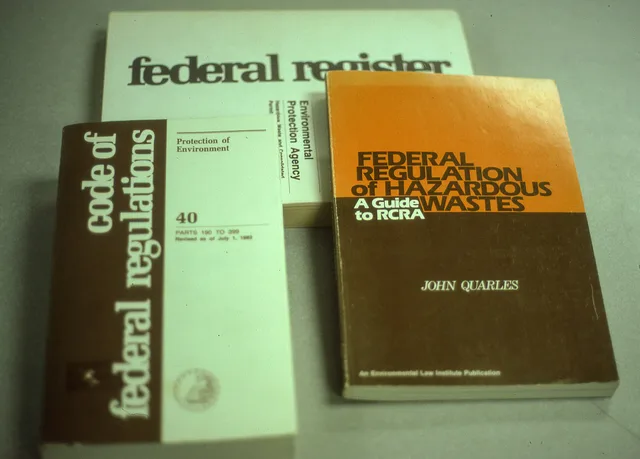
Regulators publish what they authorize so the public can check it. The rules themselves sit in a code of regulations with a stated currency date, explained in the reader aid to that code. A register is the operational side of one of those texts.
So their first use is verification: confirming that the party you deal with holds what they say. Their second is orientation. A register shows how an agency categorizes activity in its own words, which is often clearer than its guidance pages.
Reading an entry without over-reading it
A record carries an identity, a status, a scope and dates. Each is narrower than people assume.
The record is against a legal name or an identifier, not the trading name on a van. A near match is not a match.
Status terms are defined by the agency. A status can be current while a condition attached to it is unmet, and it can lag reality by however long processing takes.
Scope is the most misread field. An authorization permits a defined activity, and that activity is often narrower than what the holder markets. Read the scope, not the headline.
Every record is a snapshot. Save what you saw with the date you saw it.
Verifying somebody else's claim
- Ask which agency issued it. A vague answer here is itself informative.
- Ask for the identifier exactly as it appears on the authorization.
- Look it up in that agency's own register, not a directory that quotes it.
- Check the name against the legal entity you are contracting with, not the brand.
- Read the scope field against the work you are buying.
- Save the result with the date.
Working out which agency to ask is where people stall. Sorting the question by activity and by level of government first is what the federal guide to licenses and permits is good for.
A scanned certificate is not verification, and neither is a number printed on a website. Both are trivially reproduced, and neither shows current status. Where the work carries real exposure, contracts and liability covers making the evidence a condition of the agreement rather than a formality at the start.
Monitoring, the other half
Federal rules change through a published process, and the changes are announced before they take effect. That beats the local layers, where a change can land with no notice you will ever see.
Setting Up Rule-Change Monitoring
- Find how each agency announces changes
- Subscribe with a shared address
- Give the subscription an owner
- Decide what triggers action
- Read effective date, note both
That is the cheapest compliance work at this layer, and the part most businesses skip in favor of an annual panic.
What no tool does
No product can tell you which regimes you are inside, because that depends on facts about your materials, routes and claims that only you hold. Anything presenting itself as a complete federal requirement check is producing a plausible list from a category guess.
The order that works is the reverse: establish which offices have an interest using your own description, confirm with each of them, then use tooling to hold the record and chase the dates. The preparation checklist covers assembling that description, and the permissions register is where the confirmed answers belong.
Common questions
Can I rely on a site that says it aggregates federal records?
Use it to find things, then confirm in the agency's own register before you act. Aggregators carry a delay you cannot see and a coverage boundary they rarely publish.
A contractor refuses to give me their identifier. Is that a red flag?
It is at least worth asking directly. Identifiers on public authorizations are public by design. Reluctance usually means the scope does not cover what they quoted, or the record is not current.
How far back should I keep verification records?
For as long as the work could come back to you, which is usually longer than the job. Keep the dated result with the contract file rather than in a mailbox, alongside whatever the state layer required: state licenses sets out why those are separate records with separate lives.